
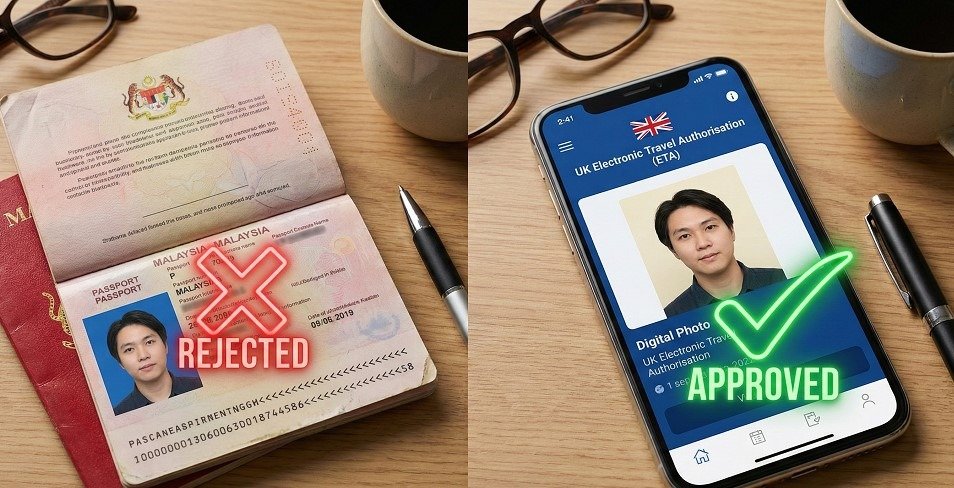
You are ready to book your flight to London. You have your Malaysian passport in hand. You open the application form. Then, you hit a wall: the photo upload.
The UK Electronic Travel Authorisation (ETA) system uses strict AI technology to verify your identity. If your photo doesn’t match their specific biometric standards, your application will be rejected instantly.
The biggest problem for Malaysians? Your current passport photo is likely invalid.
Most Malaysian passports use a blue background. The UK ETA strictly forbids this.
This guide clarifies exactly how to take a compliant photo, specifically for Malaysian applicants, so you can get approved on the first try.
The #1 Rule: Background Color (Malaysia vs. UK Standards)
This is the most common reason for rejection among Malaysian travelers.
We are used to the standard blue background for our official documents (MyKad, Passport). However, the UK Visas and Immigration (UKVI) system cannot process blue backgrounds.
The Rule: Your photo must have a plain cream or light grey background. Pure white is also acceptable, but it must be plain.
- No patterns.
- No objects behind you.
- No shadows on the wall.
If you scan your physical Malaysian passport photo and upload it, the AI will likely reject it due to the blue background color. You must take a fresh digital photo.
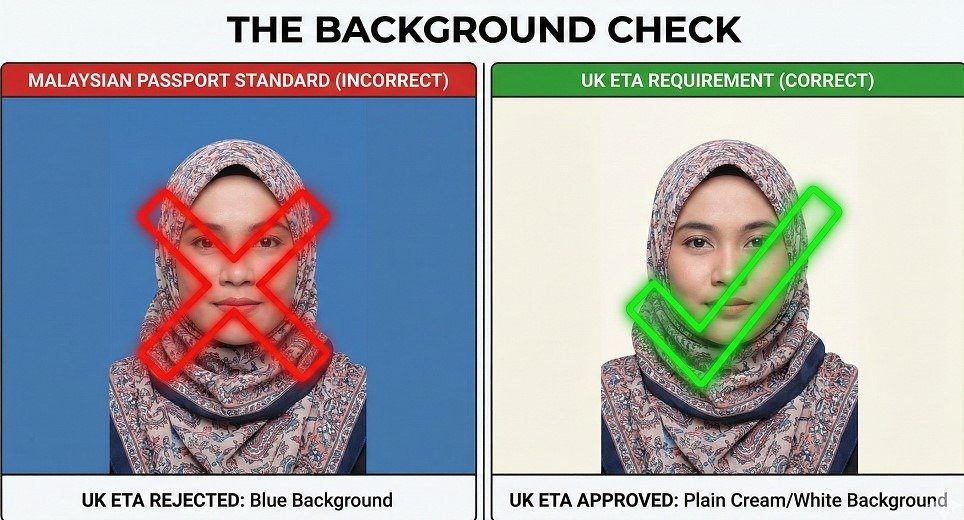
Comparison: Malaysian Passport vs. UK ETA Photo
| Feature | Malaysian Passport Standard | UK ETA Requirement |
| Background Color | Blue (Strictly enforced) | Cream / Light Grey (Strictly enforced) |
| Expression | Neutral | Neutral (No smiling) |
| Head Covering | Dark colored required | Dark or light (must contrast background) |
| Acceptance | Physical or Digital | Digital Only (Upload or Scan) |
Religious Attire Guidelines: Wearing a Tudung or Hijab
For Muslim applicants, wearing a Tudung or Hijab is perfectly acceptable. The UK government respects religious attire, but the biometric rules are non-negotiable.
The system needs to map your facial features to confirm your identity.
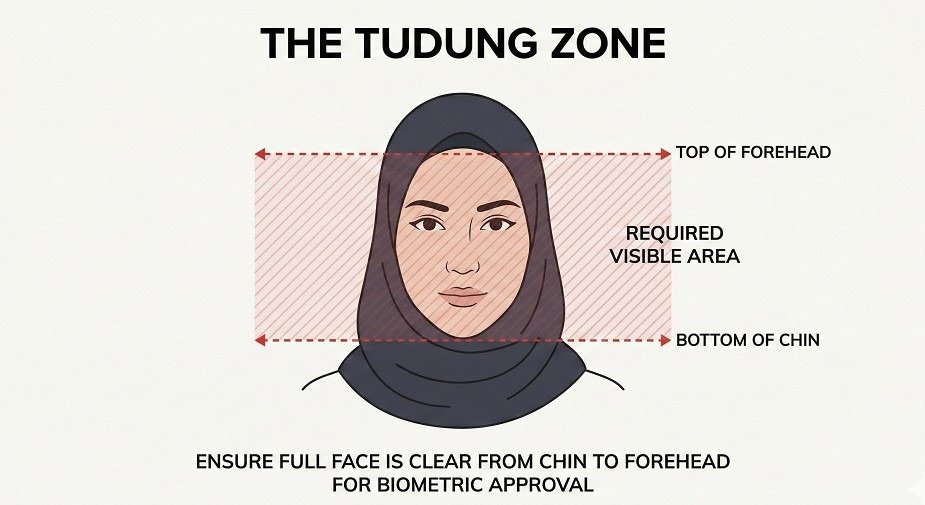
The “Safe Zone” for Biometrics
Your head covering must not hide any part of your face.
- Chin: Must be clearly visible.
- Forehead: The hairline (or where the hairline would be) must be visible.
- Shadows: Ensure your Tudung does not cast a shadow across your eyes or cheeks.
Pro Tip: If your Tudung is white or cream, it might blend into the background. This confuses the AI. Wear a darker color Tudung to create a clear contrast against the light background.
Technical Specifications: Size, Dimensions, and Format
If you are uploading a file manually (rather than using the camera), your image must meet specific technical criteria. This is where many “DIY” applicants get stuck.
Use this checklist to ensure your file is ready for upload:
- File Format: JPG or JPEG only.
- File Size: Minimum 50KB and Maximum 10MB.
- Dimensions: Upto 600 pixels wide x 750 pixels tall.
- Recency: Taken within the last month.
- Quality: Color only (no black and white).
If your file is too small, the image will be pixelated, and facial recognition will fail. If it is too large, the upload will time out.
Common Mistakes: Glasses, Glare, and Expressions
Even with the right background, “soft errors” can ruin your application. The UK ETA system is automated. It does not “guess” what you look like; it needs clear data.
The “No Smile” Policy
You might want to look friendly, but don’t smile. A smile changes the shape of your face and eyes, making biometric matching difficult. Keep your mouth closed and your eyes open.
Glasses vs. Contact Lenses
Recommendation: Remove your glasses.
While glasses are technically allowed if they have no glare, flash reflection on lenses is a top cause of rejection. It is safer and easier to simply take them off for the photo. Tinted glasses or sunglasses are never allowed.
Taking the Photo: App Scan vs. Upload
You have two options: use the UK ETA website to take a picture, or upload a file you already have.
Why Selfies Often Fail
Our UK ETA website allows you to take a photo directly. However, using the front-facing camera (selfie mode) often distorts facial features due to the wide-angle lens. This “fish-eye” effect can lead to rejection.
The Better Approach:
- Stand 1.5 meters away from a plain white or cream wall.
- Face a window to get natural light on your face (avoiding shadows).
- Have a friend take the photo using the rear camera of your phone.
This ensures proper distance, lighting, and proportions.
Need Help? Fast-Track Your UK ETA
Applying for travel documents should not be stressful. If you are worried about getting the photo right, or if you simply don’t want to deal with the technical hassle, we can help.
At https://uketa.com.my/, we specialize in assisting Malaysian citizens with their UK ETA applications. We review your details and photos before submission to ensure they meet strict government standards.
Don’t risk a rejected application days before your trip. Let us handle the details while you pack your bags.
Frequently Asked Questions (FAQ)
Can I use my Malaysian passport photo for the UK ETA application?
No, you likely cannot.
Malaysian passport photos typically use a blue background, whereas the UK ETA strictly requires a plain cream or light grey background. You must take a new digital photo that meets UKVI standards.
What are the UK ETA photo requirements for wearing a Tudung or Hijab?
Your full face must be visible.
You may wear religious headgear, but it must not cast shadows on your face. The area from the bottom of your chin to the top of your forehead must be clearly seen.
Why does the UK ETA app keep rejecting my photo?
Common causes are glare, shadows, or background clutter.
The AI is strict about lighting. Ensure there is no flash reflection on your skin or glasses, and that there are no shadows behind your head on the wall.
What is the correct file size for the UK ETA photo upload?
Between 50KB and 10MB.
The image must also be at least 600 pixels wide by 750 pixels tall and saved in JPG or JPEG format.
Can I take a selfie for the UK ETA application?
Yes, but it is not recommended.
Selfies often cause facial distortion. It is highly recommended to have someone else take your photo using the rear camera to ensure better quality and correct alignment.

